![PMP-logo-black-text.png]](https://pharmacymarketplace.com/hs-fs/hubfs/PMP-logo-black-text.png?width=200&height=154&name=PMP-logo-black-text.png)
Summary
1. Create an API key for Pharmacy Marketplace.
2. Grant permission access to the following APIs: Inventory, Claim, and PrescriptionFill.
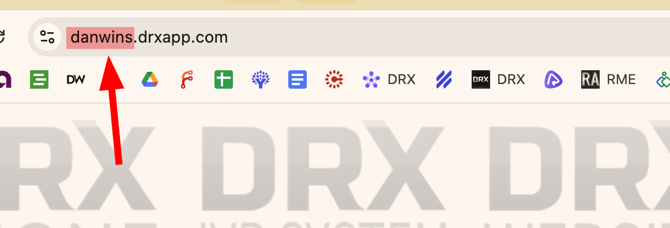
3. Identify your slug; the store slug is the first part of your URL for your DRX app.
4. Communicate the API key and slug to Pharmacy Marketplace (support@pharmacymarketplace.com).
Additional Resources
If you have any questions or require assistance, please contact Pharmacy Marketplace